CalcMaster
A downloadable tool for Windows, macOS, and Linux
# CalcMaster
**Learn calculus interactively and have fun doing it**
CalcMaster is a gamified desktop application designed to help students master derivatives and integrals. Practice with automatically generated problems, receive step-by-step solutions, and track your progress as you level up.
---
## Features
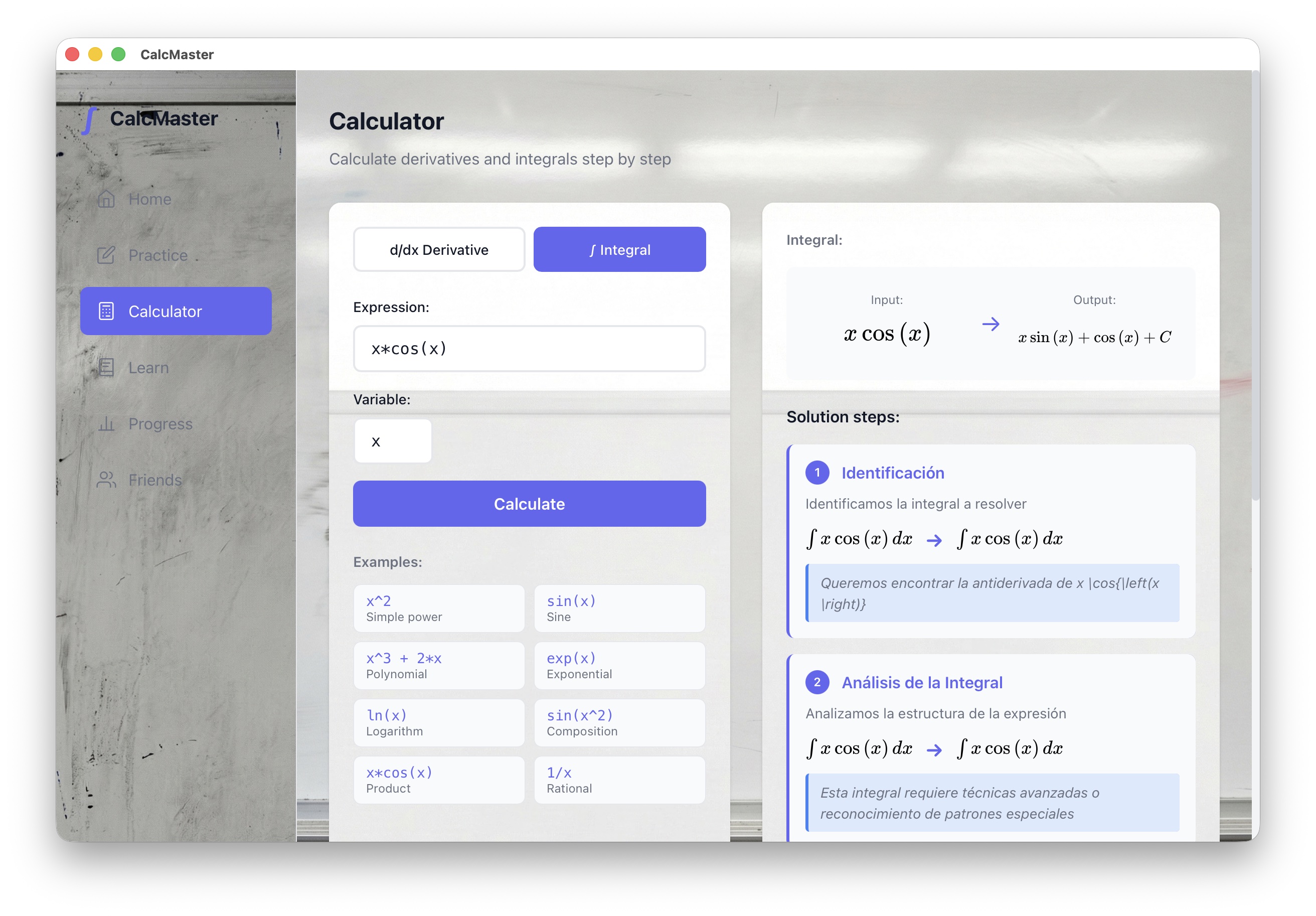
- **Smart Calculator**: Solve derivatives and integrals with step-by-step explanations
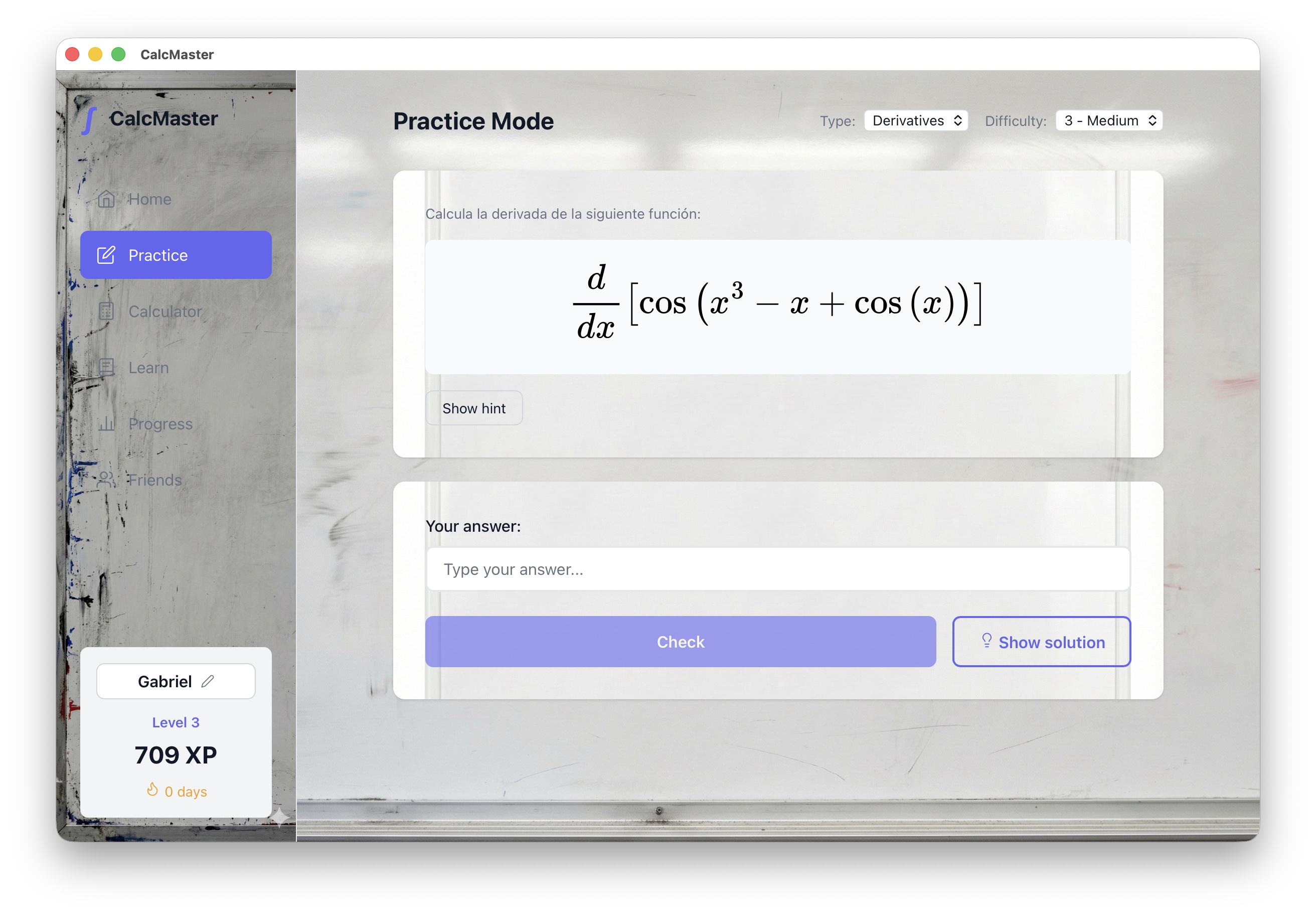
- **Practice Mode**: Unlimited problems with adaptive difficulty (Easy, Medium, Hard)
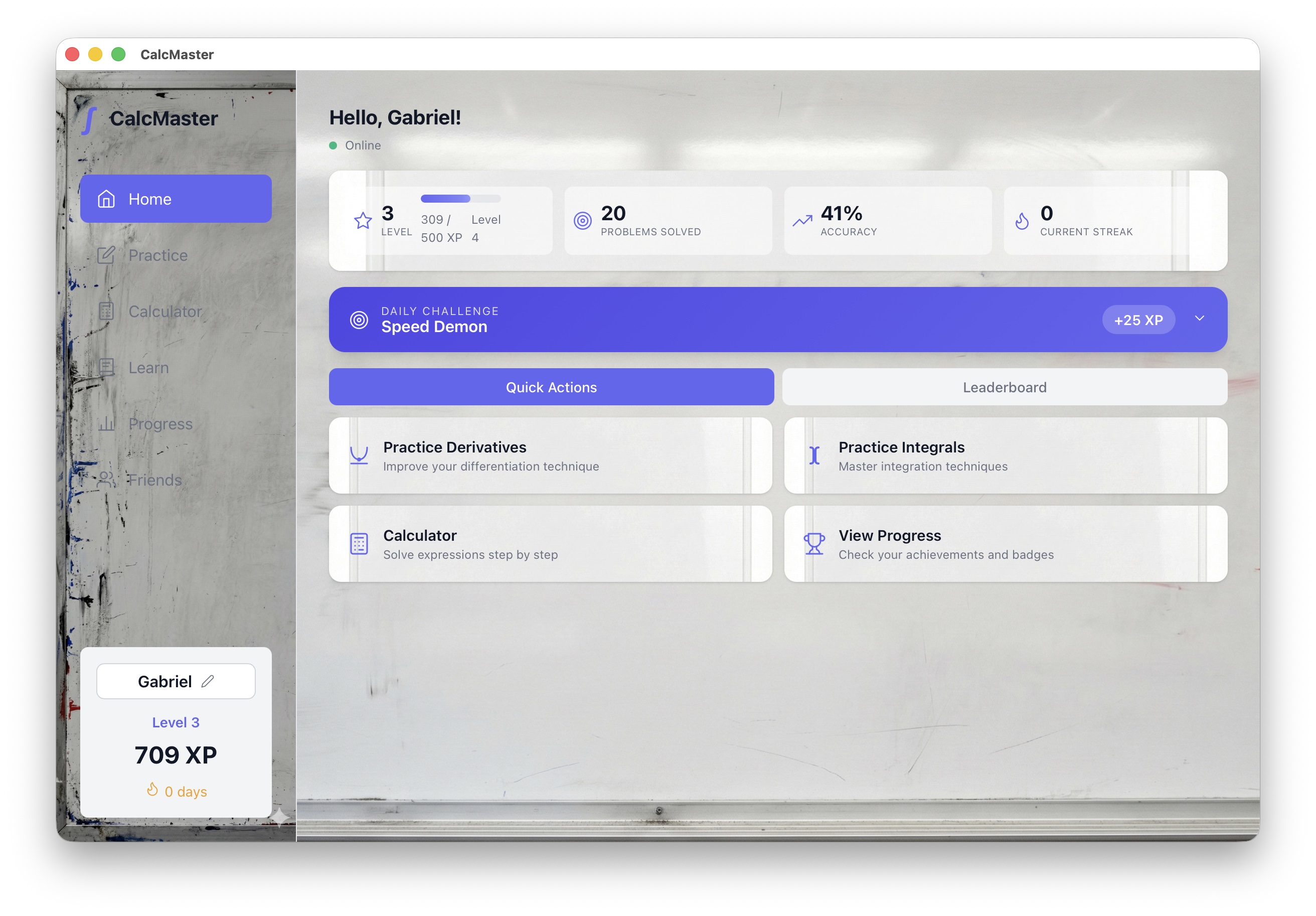
- **Gamification System**: Earn XP, level up, and maintain winning streaks
- **Detailed Solutions**: Learn the complete process, not just the answer
- **Bilingual**: Available in Spanish and English
- **Offline**: Works completely offline, no internet required
---
## Screenshots
[Add screenshots here]
---
## System Requirements
### macOS
- macOS 10.15 (Catalina) or later
- Intel or Apple Silicon processor (M1/M2/M3)
- 200 MB disk space
### Windows
- Windows 10 or later
- 200 MB disk space
### Linux
- Ubuntu 20.04+ / Debian 11+ / Fedora 35+
- 200 MB disk space
---
## Installation
### macOS
1. **Download** the `.dmg` file matching your Mac:
- Apple Silicon (M1/M2/M3): `CalcMaster_*_aarch64.dmg`
- Intel: `CalcMaster_*_x64.dmg`
2. **Open** the DMG file
3. **Drag** CalcMaster to the Applications folder
4. **First launch**: Follow the security instructions below
#### Important: macOS Security Notice
Since CalcMaster is not signed with an Apple Developer account, macOS will show a security warning the first time you try to open it. **This is normal for independent applications.**
**Option A - Right-click (Recommended):**
1. Open the **Applications** folder
2. **Right-click** (or Control+click) on **CalcMaster**
3. Select **"Open"** from the context menu
4. In the dialog that appears, click **"Open"**
5. You only need to do this once
**Option B - If it says "CalcMaster is damaged":**
On recent macOS versions (Ventura, Sonoma, Sequoia), this message may appear. To fix it:
1. Open **Terminal** (search "Terminal" in Spotlight with Cmd+Space)
2. Copy and paste this command:
```
xattr -cr /Applications/CalcMaster.app
```
3. Press **Enter**
4. Now open CalcMaster normally
**Option C - From System Settings:**
1. Try to open CalcMaster (the error will appear)
2. Go to **System Settings** → **Privacy & Security**
3. Scroll down until you see the message about CalcMaster
4. Click **"Open Anyway"**
---
### Windows
1. Download the `CalcMaster_*_x64-setup.exe` file
2. Run the installer
3. Follow the on-screen instructions
4. Find CalcMaster in the Start menu
*If Windows Defender shows a warning, click "More info" → "Run anyway"*
---
### Linux
**Debian/Ubuntu (.deb):**
```bash
sudo dpkg -i calcmaster_*_amd64.deb
```
**AppImage:**
```bash
chmod +x CalcMaster_*.AppImage
./CalcMaster_*.AppImage
```
---
## How to Use
### Calculator
1. Select the operation type (Derivative or Integral)
2. Enter the mathematical expression (e.g., `x^2 + 3x`, `sin(x)*cos(x)`)
3. Click "Calculate"
4. Review the result and detailed steps
### Practice Mode
1. Select the problem type and difficulty
2. Solve the problem mentally or on paper
3. Enter your answer
4. If you need help, use "Show solution" (no XP earned)
5. Earn XP for correct answers and level up
### Mathematical Notation
- Powers: `x^2`, `x^3`
- Fractions: `1/x`, `(x+1)/(x-1)`
- Functions: `sin(x)`, `cos(x)`, `tan(x)`, `ln(x)`, `e^x`, `sqrt(x)`
- Constants: `pi`, `e`
- Implicit multiplication: `2x`, `3sin(x)`
---
## Frequently Asked Questions
**Why does macOS say the app is from an unidentified developer?**
CalcMaster is an independent project and is not registered in Apple's Developer Program ($99/year). This doesn't mean it's unsafe - it simply hasn't gone through Apple's notarization process. Follow the installation instructions to open it without issues.
**Do I need internet to use CalcMaster?**
No. CalcMaster works completely offline. The math engine is built into the application.
**Is my data stored on any server?**
No. All your data (progress, settings) is stored locally on your computer.
**Can I use it during exams?**
Check with your instructor. CalcMaster is designed as a learning tool, not as a substitute for manual calculation.
---
## Support
Found a bug or have suggestions?
- Leave a comment on this page
---
## Credits
- Math engine: SymPy
- Framework: Tauri + React
- Math rendering: MathJax
---
## License
Copyright 2025 Gabriel Galán Pelayo. All rights reserved.
This software is proprietary. No part of this application may be reproduced, distributed, or transmitted in any form or by any means without the prior written permission of the author.
---
*Version 0.1.0*
Download
Click download now to get access to the following files:
Development log
- Update initial Bug fixedJan 06, 2026
Leave a comment
Log in with itch.io to leave a comment.